

CCleaner 5.0
Full-featured system optimization tool to clean up and boost up your PC
Program info
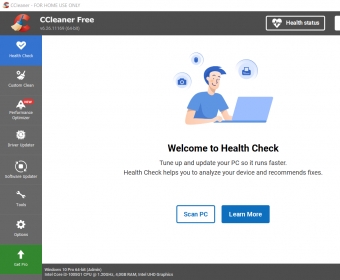


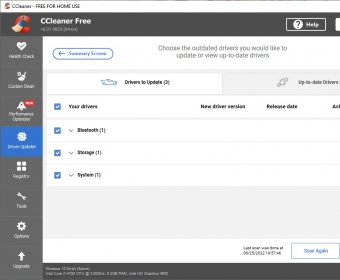

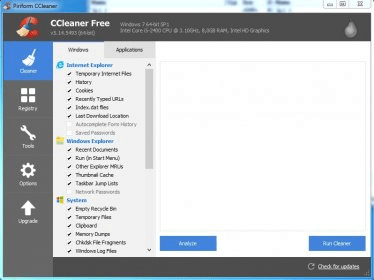

For many years now, CCleaner has been seen as a reference tool for system optimization. Its free version offers a wide array of cleaning and optimization features enough to keep your system free of unnecessary files and working at full speed. It will scan your system and external drives thoroughly looking for files that needn’t be there any longer, and which are but taking up useful space and slowing down your system’s performance.
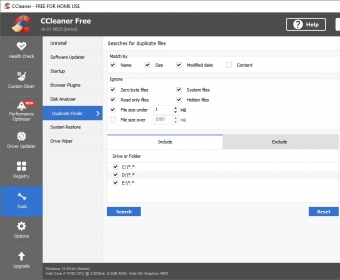
Its clean and well structured interface makes CCleaner suitable for all kinds of users. Most of its functionality requires but one click of your mouse, and you are kept informed at all times of the operation to be performed, the files that matched your criteria, and the consequences of the action you are about to take. The main interface is divided into three main areas and a comprehensive Settings dialog. These areas are Cleaner (to clean up your system from unnecessary files and applications), Registry (to get rid of all broken entries and links), and Tools, with a set of useful utilities to uninstall unwanted programs, locate and erase duplicate files, to manage the apps that launch at startup, or to wipe one of your drives entirely and securely.
The Cleaner section takes a closer look to all those temporary files that are left behind by your OS, your Web browsers, and other applications either as part of their daily work or once they’ve been uninstalled. Cookies, history files, recently visited URLs, or passwords saved by your browsers; log files, memory dumps, temporary files, or desktop and start menu shortcuts stored by your Windows system, as well as a plethora of files that your favorite multimedia apps tend to leave behind on a regular basis may take up hundreds of megabytes without you knowing it. CCleaner locates, classifies, and shows them to you in a clear and organized way, so that you can make your own decisions when it comes to which issues will be fixed and which remain as they are, especially when it comes to cleaning up your Windows Registry.
The program’s toolbox is certainly worth noting. It includes an uninstaller, a startup manager, a disk analyzer, a duplicate finder, a system restorer, and a drive wiper. All of these tools are just as important as the above-mentioned cleaning tools to keep your system’s performance at an optimal level, and no serious optimization app is ever complete without them. CCleaner keeps on improving with any new release – this new version of the program has been fine-tuned to work seamlessly with the new Windows 10 OS and its Registry.
Pros
- Well-structured interface
- Deep scan of all your system areas
- One-click easy-to-use functionality
- Thorough revision of all your registry entries
- Fully customizable settings
Cons
- None
Details
Extensions

No information available
The data will be available later.Awards


Related stories
See all
In case you did not know, Microsoft does have a system cleaner of its own, and its latest version is good enough to rival CCleaner and other leaders of this domain.

A short guide on how to identify identical files on your Windows 10 PC and remove them to free up some more storage space.

Older computers tend to get sluggish as time goes by and if you can't afford to replace them, here's how to regain some of the speed that jas been lost over the years.



Type in Search Bar > ccleaner 6.39 download > Scroll down to SoftPortal (Download CCleaner 6.39.11548 for PC) > choose download from SoftPortal servers (EXE file). Don't download from "official site" as they only offer the new release 700. You could probably use Techspot or informer.com as well. More